

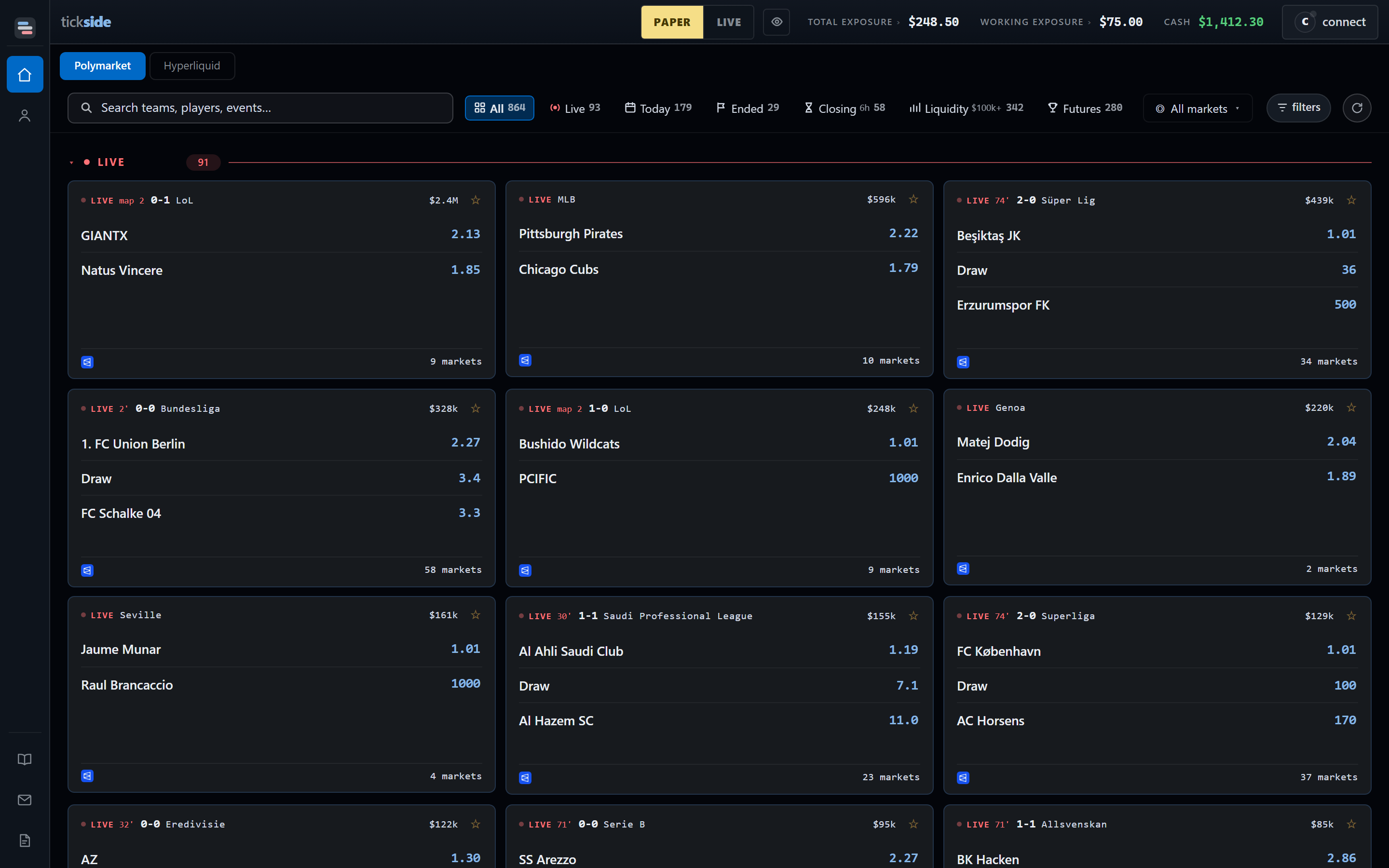
The Markets board. Search and the filters sit above the cards; each card carries its venue, its outcomes and their current prices.
What is on the board
The category picker uses broad groups first. The exact competitions and assets appear inside those groups, so the main menu remains easy to scan.Sport
Football, Basketball, Am. Football, Tennis, Baseball, Hockey, MMA, Boxing,
Golf, Cricket, Esports.
The world markets
Politics, Geopolitical, Finance. Elections and nominations, conflicts and
treaties, rate decisions and inflation prints.
Crypto
Price windows, listings and protocol events. Short time windows show a
countdown and the live reference price when available.
Other
Markets that do not yet belong to a broader mapped category.
The picker only offers categories that exist in the current venue catalogue.
A category with no available markets does not appear.
Getting to a market
1
Search or filter
Press / and type a team, a player or an event. Beside the search
sit the available views, category picker, sort control, refresh and finer
filters for the selected venue.
2
Open the game
Click a card and its markets appear in clear groups. Sports use groups such
as Match Odds and Totals when the venue data can be mapped safely.
3
Open a ladder
One click on a market opens it. A two-runner market never asks which side,
because one ladder is both sides of it.
A market you already have open shows a check, and clicking it jumps to that
window rather than opening a second copy of the same book.